
Model Reference
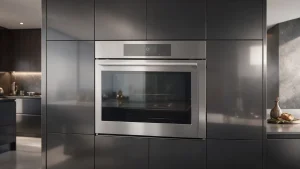
Fisher & Paykel OB30SD14PLX1 Oven
30-inch self-cleaning oven where the screen goes dark, the temperature runs off the setting or preheat drags.
Model-specific diagnosis

Model number
OB30SD14PLX1
About this model
Model overview
The OB30SD14PLX1 is a 30-inch self-cleaning oven from Fisher & Paykel's Contemporary line, with 4.1 cu ft of total capacity and 14 oven functions. It is 29 15/16 inches wide, and two full-extension sliding shelves pull out for easy loading. A wired temperature sensor is included, and a 2.4-inch screen sits beside a dial for the settings. Pyrolytic self-cleaning handles the cavity for homes in San Francisco and the Bay Area. Say what the oven is doing wrong, type the model number from the label character for character, and list any screen code.
Specifications
| Dimensions | Width: 29 15/16 inches. |
|---|---|
| Capacity | Total capacity: 4.1 cu ft. |
| Features | 14 oven functions. Two full-extension sliding shelves. Wired temperature sensor included. |
| Controls | 2.4-inch screen and dial controls. |
| Care | Pyrolytic self-cleaning. |
| Finish | Stainless steel finish. |
A 2.4-inch screen and dial working together
The OB30SD14PLX1 is set apart by its 14 functions paired with both a dial and a 2.4-inch screen, so the owner can turn the dial for quick changes and use the screen for the function menu. Two full-extension shelves and a wired sensor make the oven easier to load and check. Day to day, a screen that goes dark while the dial still turns points to the display rather than the heating side, which helps narrow the call.
Sensor and element checks for the OB30SD14PLX1
An oven that heats slowly, runs off the setting or shows an error code usually points to the heating element, the wired temperature sensor or the control board that reads them. A technician compares the sensor reading with the dial before swapping parts, because a sensor that drifts can look like a failed element. A fan, light or screen that stops points to the fan motor, the lamp circuit or the display connector behind the control panel. The owner can safely check that the shelves seat fully, that the sensor sits in its socket and that the door closes fully. Do not pull the sensor cable while the oven is hot, and wait for the self-clean cycle to finish before opening the door.
What owners notice
- Heat that builds slowly.
- Screen or fan dropping out.
- Code on the screen.
- Reading that differs from the dial.
Booking
Give the model number exactly as the label shows, the complaint in your own words and any screen code. We compare the sensor reading with the dial and test the matching parts before quoting. Related page: Fisher & Paykel Oven Repair in San Francisco.
FAQ
Frequently asked questions
It measures 29 15/16 inches wide, so it is sized for a 30-inch opening.
It offers 14 oven functions, with a 2.4-inch screen and a dial for control.
Check the rating label on the frame around the door opening, visible with the door open. Copy every letter and digit, including the ones at the end.
Yes. We book in-home visits for this model in San Francisco and the Bay Area. Add the model number and the symptom to the booking form.
Diagnostics
Error codes for this appliance
Fisher & Paykel Oven A2 Error Code
Fisher & Paykel Oven A3 Error Code
Fisher & Paykel Oven F101 Error Code
Fisher & Paykel Oven F102 / F104 / F194 / F196 Error Code
Fisher & Paykel Oven F103 / F237 / F610 / F613 and Related Codes
Fix it right
Repair service
Models
Other models
Book a repair
Tell us what’s wrong — we’ll take it from there
Share a few details and we’ll confirm an appointment. Prefer to talk? Call us and we’ll help right away.
Phone
(415) 941-6957
Hours
Mon–Sat: 8:00 AM – 7:00 PM
Service area
San Francisco Bay Area, California