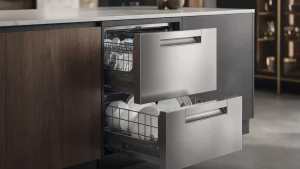
DishDrawer
A DishDrawer dishwasher complaint is most useful when it is described as an operating condition rather than a guessed failed part.

Specialized Fisher & Paykel Appliance Repair in San Francisco
Mon–Sat: 8:00 AM – 7:00 PM
This reference helps organize useful information before DishDrawer dishwasher service. Start with the complete model or product code and the actual behavior you observe; avoid choosing a part from the symptom alone.
DishDrawer · in-home diagnosis
This reference helps organize useful information before DishDrawer dishwasher service. Start with the complete model or product code and the actual behavior you observe; avoid choosing a part from the symptom alone. A drawer that will not drain, for example, could point to the drain pump, a clogged filter, or a kinked hose, and only testing on the exact unit separates them.
Fisher & Paykel appliances can differ substantially across product generations. Exact identity is especially important when a family name covers multiple control systems, sizes, installation types, or regional variants. A single-drawer and a double-drawer DishDrawer, for instance, are different builds even when the cabinet opening looks the same.
For each symptom, note whether it is constant or intermittent, what operating stage triggers it, and what changed immediately before it began. A clear timeline is often more useful than a broad description such as “not working.” It also shows whether the fault follows a particular stage, such as fill, wash, drain, or dry.
Locate the rating label and record the full model/product code, including meaningful letters or suffixes. Use the Fisher & Paykel model directory to match that identity to the correct reference material.
Do not substitute a nearby model because the exterior looks similar. Control logic, components, wiring, plumbing, venting, and fault definitions can differ even within the same appliance category. For a DishDrawer, that includes the drawer latch, the lid seal and the spray arm.
Stop using the appliance for smoke, burning odor, visible arcing, repeated breaker trips, uncontrolled heating, active water near electrical parts, gas odor, or severe movement. Do not remove protected panels, work on live voltage, adjust gas components, bypass safety devices, or open sealed refrigeration systems as an owner check.
A built-in or tightly fitted appliance interacts with cabinetry, ventilation space, drain routing, water supply, electrical connection, floor level, and door or drawer alignment. If a symptom appeared after remodeling, moving the appliance, replacing a filter, changing plumbing, or restoring power, include that history.
San Francisco housing adds practical access variables as well. Older flats can have narrow stairs and compact kitchens, while newer towers may require concierge entry, elevator reservations, or loading coordination. Those details help plan the visit without changing the technical diagnosis.
If the appliance shows a code, use the Fisher & Paykel error-code library and match the code to the correct appliance family and model/platform context. The same short code can be reused with a different meaning elsewhere in the product line.
Treat a code as evidence that narrows testing. It does not automatically prove that a specific component should be replaced. A code that returns after one documented power cycle is a stronger clue than one that appeared once and stayed away.
It identifies the appliance platform more reliably than appearance or a family name and helps keep diagnostic information tied to the correct control generation.
No. A code is a diagnostic clue whose meaning depends on the correct appliance and model context.
Avoid protected-panel removal, live electrical testing, gas adjustment, sealed-system work, interlock bypass, and technician-only service procedures.
A DishDrawer dishwasher complaint is most useful when it is described as an operating condition rather than a guessed failed part.
A09 is a sanitize-cycle temperature fault on DD*C models. Check the water supply and rerun the cycle.
A1 is a water supply fault. Open the supply, clear the code with two presses and resume.
A3 means a DishDrawer cannot drain; the drain hose or its connection to the pipe may be blocked or kinked.
A7 means excess foam was detected and the auto recovery program is running; let it finish.
E1 means the DishDrawer detected a flood. The guide's route is to reset once, then disconnect and call.
E2 is listed as a motor fault. After one reset attempt, the guide says to disconnect power and water and book a technician.
Fisher & Paykel DD24DT4DX2 contemporary tall double dishdrawer dishwasher repair in San Francisco: dishes not getting clean or dry.
Fisher & Paykel DD24DT4HI2 integrated tall double drawer dishwasher repair in San Francisco: leak or leak-protection code.
Fisher & Paykel DD24DT4I2 integrated tall double dishdrawer dishwasher repair in San Francisco: leak or leak-protection code.
Double DishDrawer — repair reference for fill, drain and flood faults.
Fisher & Paykel DD24S2CX2 contemporary single dishdrawer dishwasher repair in San Francisco: dishes not getting clean or dry.
Fisher & Paykel DD24S4I2 integrated single dishdrawer dishwasher repair in San Francisco: water left in the tub after the cycle.
Single DishDrawer — repair reference for cycle and drainage faults.
Fisher & Paykel DD24SCTB9 tall single dishdrawer dishwasher repair in San Francisco: leak or leak-protection code, dishes not getting clean or dry.
Fisher & Paykel DD24SCTW9 tall single dishdrawer dishwasher repair in San Francisco: leak or leak-protection code, door latch or control panel problems.
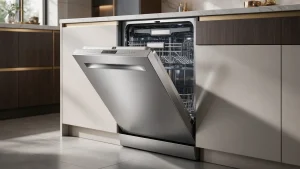
This reference helps organize useful information before dishwasher service.
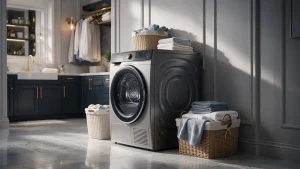
This reference helps organize useful information before dryer service.
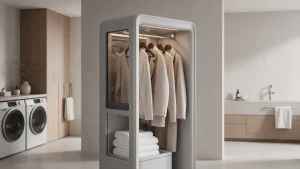
This reference helps organize useful information before fabric care cabinet service.
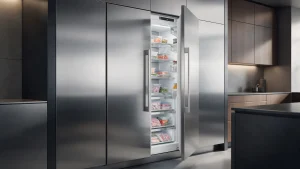
This reference helps organize useful information before freezer service.
Share a few details and we’ll confirm an appointment. Prefer to talk? Call us and we’ll help right away.