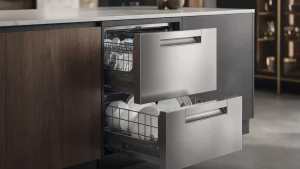
The manufacturer’s table gives E1 three words: flood detected. That is the whole definition in the DishDrawer user guide for the DD24, DD60, DD36 and DD90 models, and it applies to the Classic, Designer and Integrated versions alike.
At a glance
| Code | E1 |
|---|---|
| Appliance | DishDrawer Dishwashers |
| What it means | Fisher & Paykel's DishDrawer user guide lists E1 as flood detected. |
| First thing to try | Press the control that silences the continuous beeping. |
What to do in the first minute
- Press the control that silences the continuous beeping.
- Write down the code. On Classic models it shows in the display, and on Designer and Integrated models it is read from the lit indicators on the wash program panel against the table in the guide.
- Switch the dishwasher off and back on after a few seconds, as the guide’s flowchart shows, to see whether the code clears.
If the code stays
The guide is clear: disconnect the dishwasher from the power supply by unplugging it or switching off the circuit breaker, turn off the water supply, and then book a technician with the fault code. Water and electricity are a bad mix, so power comes off before you start mopping around the base.
Leaks the guide describes separately
The same guide has a leak entry in its troubleshooting table. It names a drain hose that has come off the waste pipe and an inlet hose that is not properly connected, with the fix of reconnecting each one. For other leaks it says to turn off water and power and have a technician look at it. These checks are listed under leaks in general, not under E1, so use them only as visible things to look at.
Related
- E2, the motor fault, which sits next to E1 in the same table.
- A3, if the real symptom is water that will not drain rather than water on the floor.
Flood faults: DishDrawer service in San Francisco
Call (415) 941-6957 for Fisher & Paykel DishDrawer repair in San Francisco after an E1. The model and serial number are on a label inside the cabinet, under the top drawer, according to the guide.